
Please note the roll-over entries cannot be reversed. Kindly do a test in TEST company, check the result and confirm is the expected outcome then run in production.
Please note the preparation process for each company varies, thus it not necessary to complete all the checks.
The import and final steps is in page 50-51.
Specify the range of accounts for rollover.
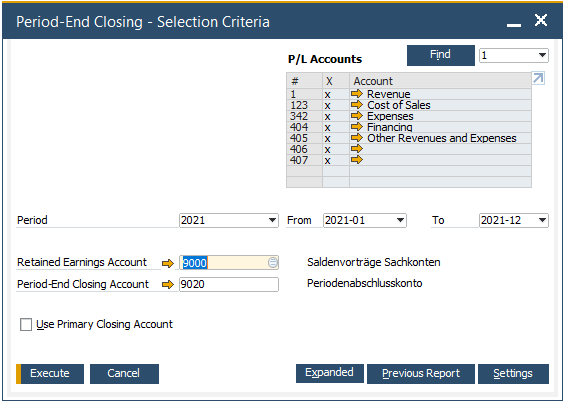
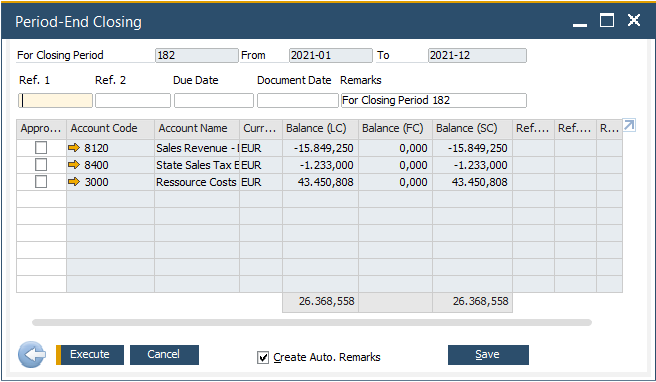
Select accounts to proceed with the rollover. Once the 'Execute' button is click, a new roll-over G/L journal entry will be created.
When create a new financial period, please make sure just enter the year in both Period Code and Period Name. Select Months as sub-period and check the date range is correct.
Reference
How to Perform a Year-End Closing in SAP Business One 10.0