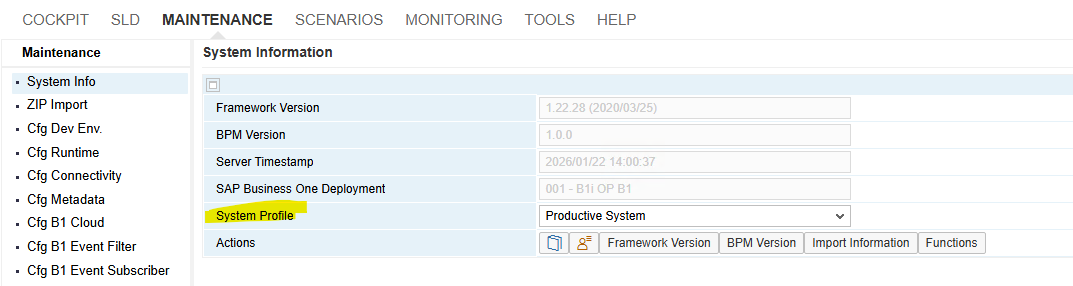
SAP Business One recommends using the UI's System Profile to switch modes, you can manually configure the integration service for development by modifying the xcellerator.cfg file.
1. Locate the Configuration File
Open the following file using a text editor with administrative privileges (e.g., Notepad run as Administrator):
Path: C:\Program Files (x86)\SAP\SAP Business One Integration\IntegrationServer\Tomcat\webapps\B1iXcellerator\xcellerator.cfg.
2. Modify Key Development Parameters
To manually simulate "Development Mode," change these specific property values:
Enable WebDAV Access: Change the parameter to allow external XML editors to access the BizStore.
xcl.webdav=full (Default is typically disabled).
Set Detailed Logging Level: Increase the logging detail for the business processor.
com.sap.b1i.bizprocessor=CONFIG (Default for production is usually SEVERE).
Adjust Session Timeout: Increase the timeout to prevent frequent logouts during development.
xcl.session.timeout=500 (Value is in minutes; production is typically 20), OR
xcl.http.sessionTimeout=500 (Value is in minutes; production is typically 20)